Laptop Battery Reconditioning — Is It Worth It?
Your laptop dies suddenly. You see 40% remaining, then the screen goes black instantly.
This is frustrating. Most users assume the battery is dead and search for a replacement immediately.
Sometimes, you can fix this through reconditioning. However, most people misunderstand what that actually means in practice.
What Reconditioning Actually Does
Reconditioning is not magic. It does not restore lost capacity or bring back chemical ions that have already degraded inside the cell housing.
Instead, it focuses on calibration. Over time, the Battery Management System (BMS) loses track of where "empty" and "full" actually reside; this leads to incorrect percentage reporting. By performing multiple deep discharge and full recharge cycles, you help the software recalibrate its gauge against the actual physical limits of the voltage curve.
It is a software fix for a sensor problem. If your Genuine Original HP Pavilion DV7 HDX18t Laptop Battery suddenly reports 20% and then drops to zero, calibration might help. It will not fix a cell that is physically incapable of holding charge.
Chemistry fails permanently. Lithium-ion degradation is an irreversible chemical process that no amount of cycling can reverse.
When Reconditioning Fails
You cannot fix everything. If your battery health has dropped below 60% total capacity, reconditioning is a waste of time and electricity.
Certain red flags mean you should stop immediately. Never attempt to recondition a swollen battery; if the casing looks bloated, throw it away at a proper recycling center. Physical damage or leaking electrolyte means the cell is compromised and dangerous.
For older machines, such as those needing an Original Battery for Apple iBook G3 G4 12" A1008 A1061, the chemistry is often too far gone to benefit from these cycles. You are essentially trying to squeeze blood from a stone.
Check your health first. Use software like HWMonitor or manufacturer tools to see the actual wear level before you start.
The Step-by-Step Calibration Method
If you decide to try it, follow a strict protocol. You need patience for this process.
- Discharge the battery fully until the laptop reaches 5% remaining power.
- Leave the device powered off and unplugged for at least 5 hours.
- Connect the charger and charge it to 100% without using the laptop during the cycle.
- Repeat this entire sequence 2 or 3 times to ensure the BMS stabilizes.
This process takes time. It is not a quick fix you can do while watching a movie.
If you are working on an older Dell or HP, like the Battery for HP Compaq Mini 110 CQ10, ensure your charger is stable. Fluctuations in power during a long charge cycle can interrupt the calibration and render the effort useless.
Rebuilding vs. Reconditioning
There is another level to this called rebuilding. This is different from simple software reconditioning.
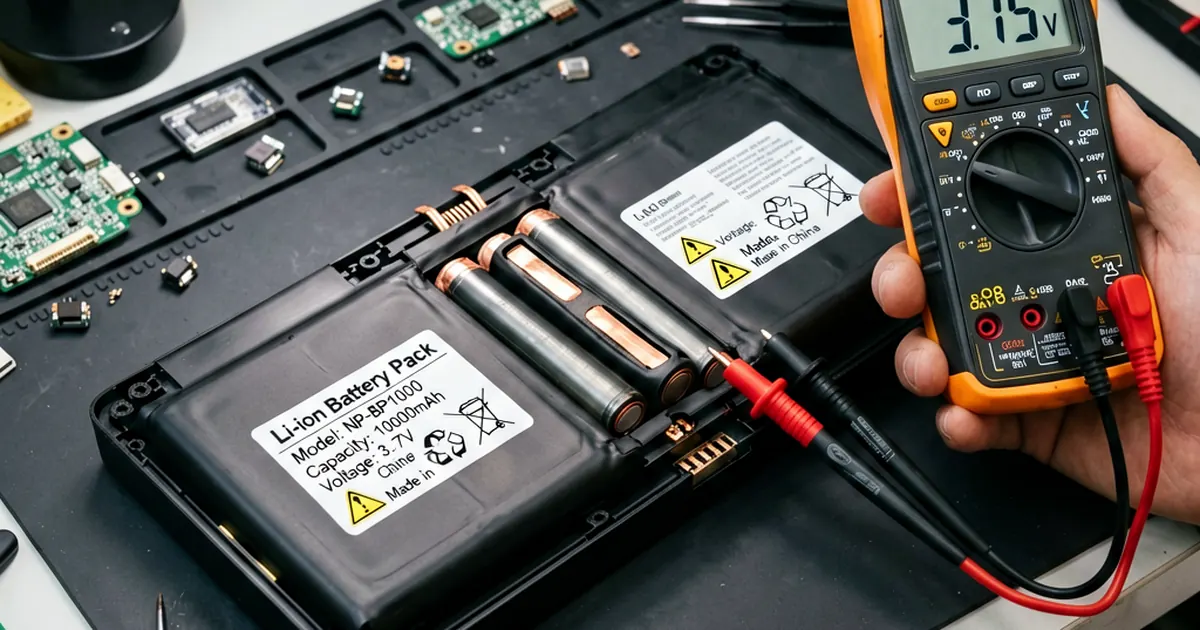
Third-party battery rebuilders exist for specialized needs. These shops actually open the plastic casing, remove the old individual lithium cells, and install brand new ones while keeping your original circuit board. This is useful if you have a rare or very expensive pack that is no longer in production.
It is a high-skill task. For common laptops, it is almost always cheaper to just buy a Genuine 4700mah battery A45 A55 A75 A95 K45 K55 K75 K95 A32-K55 A33-K55 A41-K55 instead of paying a specialist.
Safety is paramount. Never puncture, heat, or disassemble lithium cells without significant professional experience; doing so can cause a thermal runaway event that burns your workbench to the ground.
The Final Verdict
Is it worth it? Only if you are dealing with inaccurate reporting rather than dead cells.
If your battery is physically fine but the percentage jumps around, give calibration a shot. It costs nothing but time and can extend the useful life of your current setup by several months. However, if your laptop only stays on for ten minutes, stop looking for software fixes and start shopping for replacements.
A new TOSHIBA C645 C650 C655 PA3817U-1BRS laptop battery provides more predictable results than a struggling old cell. Don't fight physics.
Frequently Asked Questions
Can reconditioning make my battery last longer on a single charge?
No. Reconditioning only fixes the battery meter calibration. It cannot restore the chemical capacity of old lithium cells.
How do I know if my battery is physically dangerous?
If the battery looks swollen, feels hot constantly, or has any physical cracks, stop using it immediately and replace it.
Is reconditioning safe for my laptop?
Yes, following the discharge/recharge method is safe. However, you should never attempt to open the battery casing or touch the internal cells yourself.